

Simrix Monitor tells you when something needs attention. Alerts come from scheduled checks only; a manual Check Now never sends one, by email, Slack or webhook, so you can test without notifying anyone.
What triggers an alert
- Failure: a workflow monitor fails, or a change monitor can't capture the page. Sent to the site's Notification Email.
- Recovery: a monitor that was failing passes again. The email says how long it was failing and across how many checks.
- Change detected: a change monitor finds a significant difference. The email includes the before and after screenshots and the AI summary.
Every alert links to the check so you can see the screenshot and detail.
What a failure alert says
A failure alert leads with the evidence: the screenshot, which step failed (for example Failed at step 4 of 5: Press Proceed to checkout), and why, in plain English. Below that is what likely happened, the likely impact and what to check first: the same explanation the check page shows. The subject line names the step too.
A shareable report link in alerts
Turn on Include a shareable report link in alerts when you set a monitor up, or when you edit it, and each failure alert carries a link you can forward to whoever fixes it, even if they have no account. Anyone with the link sees that check's screenshots and summary and nothing else from your account. Links an alert carried stop working after 30 days, and you can revoke one sooner from the check. Webhook deliveries carry the same link.
Failure alerts don't repeat every check
If a monitor fails the same way on consecutive checks, you get one email, then at most one reminder per hour while it stays broken. A different failure (a new error, a different page) alerts immediately. When it recovers, you get the recovery email and the counter resets.
Snoozing a monitor
The bell icon on a monitor card snoozes its alerts for 1 hour, 4 hours, 24 hours, or 7 days. The monitor keeps running and recording results; it just doesn't email. Click the bell again to un-snooze early. Snoozed monitors show an amber bell.
Notification preferences
Account → Notifications controls what the workspace receives:
- Failure alerts, Recovery alerts: on by default.
- Daily summary: off by default. One email each morning listing the previous day's checks, failures, and changes. Not one per passing check.
- Weekly digest: on by default. One email a week with the week's checks, failures and changes.
Change-detection alerts are always sent when a change is found; snooze the monitor if you need quiet.
Where alerts go
Failure, recovery and change alerts go to the Notification Email set on the site. The daily summary and the weekly digest go to the workspace contact email under Account → Profile. Owners can change either.
Slack
Alerts can also be posted in a Slack channel. Open Integrations, choose Add to Slack and pick the channel. Failures, recoveries and changes arrive there with the same evidence as the email: the step that failed, why, and links to the check and its shareable report. Turn on Include the screenshot for a channel to add the picture of the failed step. See Alerts to Slack.
Webhooks
If you'd rather receive events in your own systems (a ticketing tool, a data pipeline, Teams or Discord through a relay), add an endpoint under Account → Webhooks. See API and webhooks.
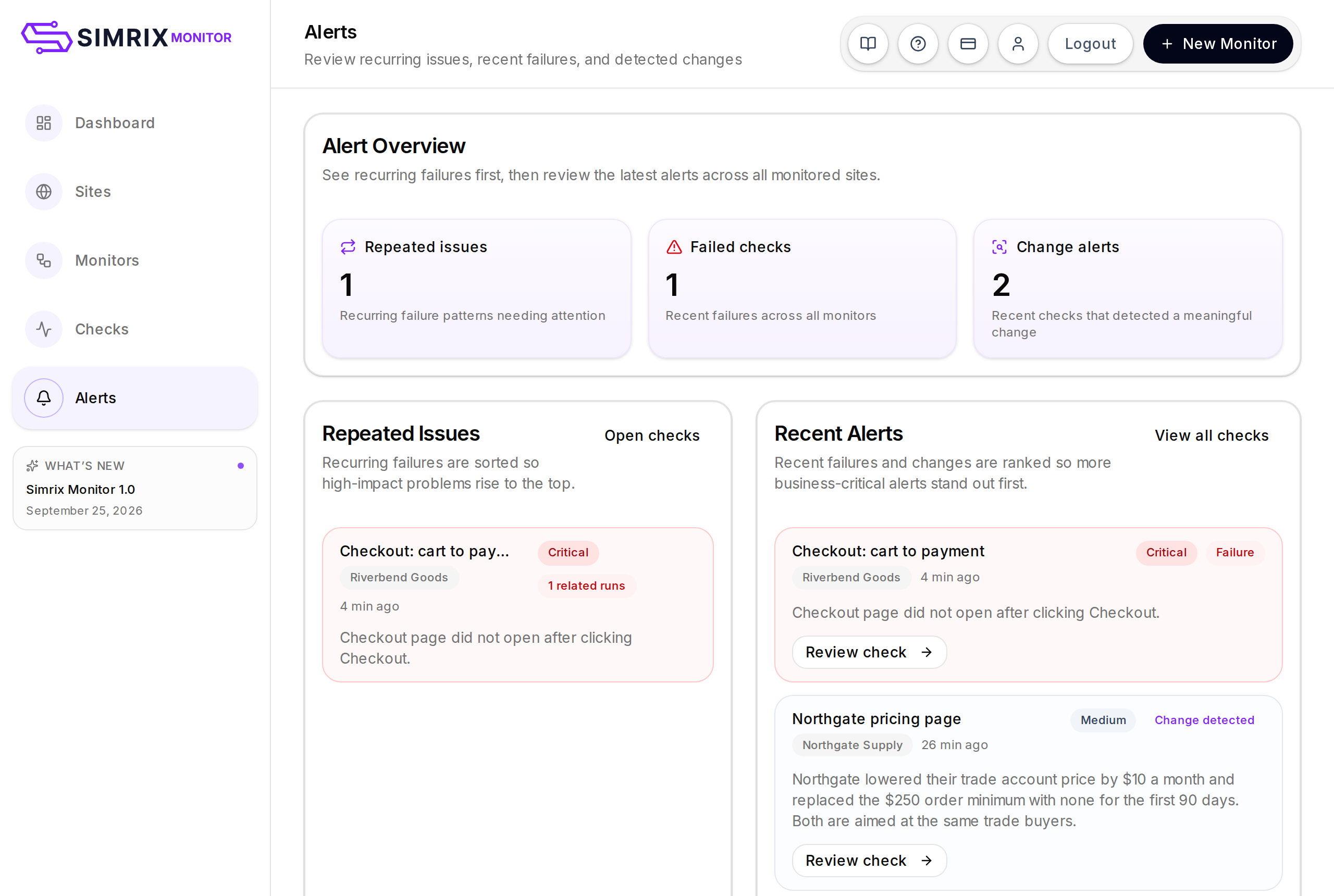
The Alerts page
Alerts in the navigation lists recent failures and detected changes across all monitors in one place, so you can review what happened without opening each monitor.