

A check is one execution of a monitor. Every check is recorded whether it was scheduled or started with Check Now.
Where to find checks
- Checks in the navigation shows every check across the workspace, newest first, with counts of total checks, failures, and detected changes. Filter by status, or search.
- View checks on a monitor card shows only that monitor's checks.
- A monitor's detail page (click its name) shows its recent checks and a history timeline.
Statuses
| Status | Meaning |
|---|---|
| Passed | The check succeeded (workflow), or no meaningful change was found (change monitor). |
| Failed | The workflow check did not succeed, or the page could not be captured. |
| Change detected | A change monitor found a significant difference from the baseline. |
| Running | In progress. Checks usually take a few seconds; media-heavy sites can take longer. |
The first check of a change monitor is recorded as passed; it only captures the baseline.
What a check contains
- Steps: for workflow monitors, every step the check took, in order, whether it passed and how long it took, with a screenshot of the page as each step finished. A failed check opens on the step that failed, marked Failed here, and the steps after it are marked Not reached. Click a step, use the arrows or the slider, or press the left and right arrow keys to move through them.
- Screenshot of the whole page or region when the check ended. Change checks also keep the before screenshot and a diff image highlighting what moved.
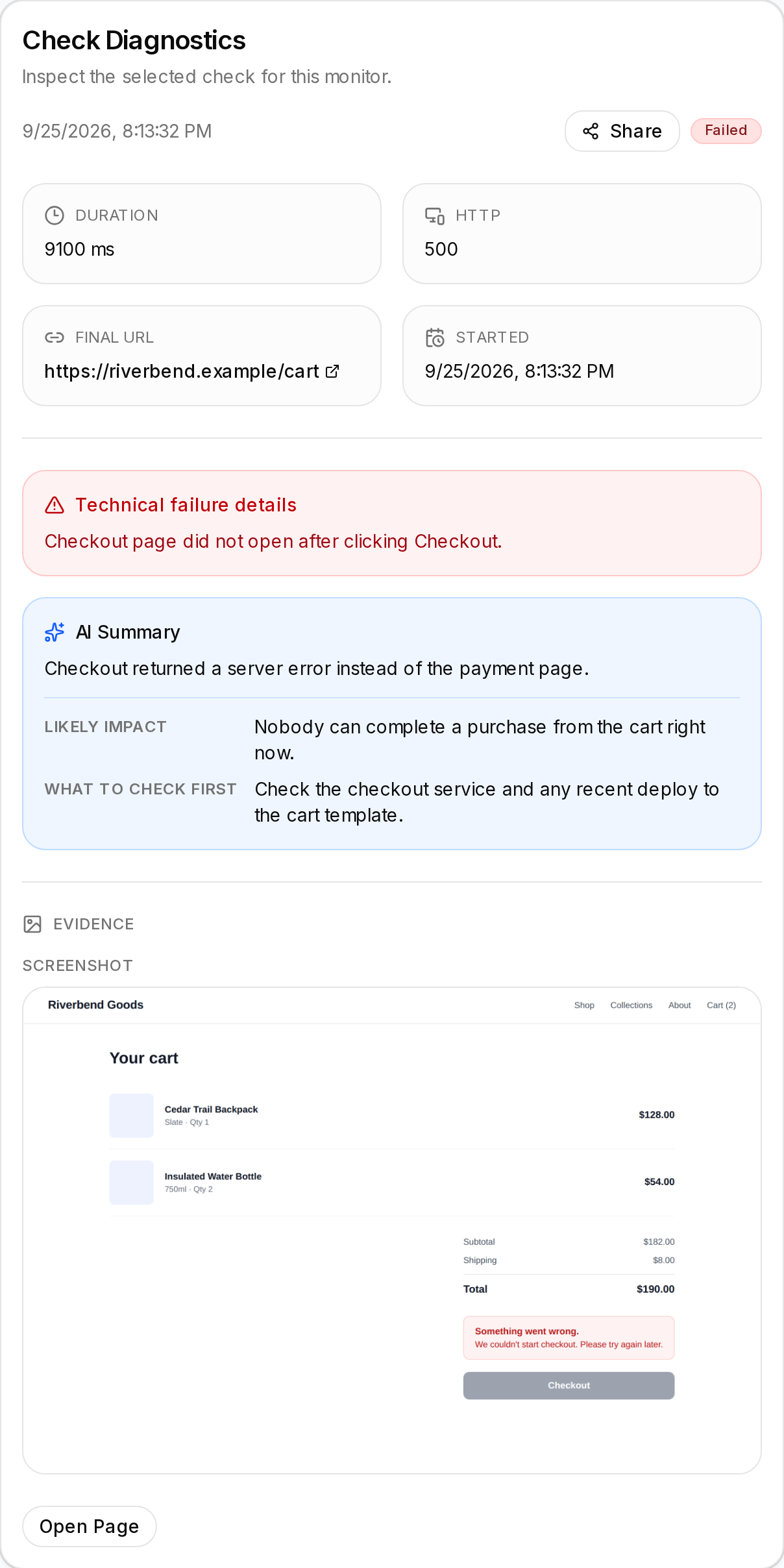
- Timing: when it started and how long it took.
- HTTP status and the final URL after any redirects.
- What went wrong: for a failed check, a plain-language explanation that names the step and the reason.
- Summary: for workflow monitors, a plain-language explanation of the outcome; for change monitors, an AI description of what changed, its significance, and category.
Manual checks
Check Now on any monitor card checks it immediately. Manual checks work like scheduled ones. Manual checks don't send alerts, by email, Slack or webhook (only scheduled checks do), so you can test freely without notifying anyone.
A manual check doesn't change the monitor's schedule; the next scheduled check happens when it would have anyway.
Screenshots and retention
Screenshots are stored securely and are only viewable by members of your workspace. They're kept for seven days.
Trigger types
Each check records how it started: scheduled (by the monitoring service on its interval) or manual (Check Now, or a call to the API). This appears in the check detail.